
Drop your file here Uploader is loading, you can drop now.
+ Start a new chat Drop on New Document to create a separate conversation.
+ Add to this conversation Keep this conversation and add the file to its shared document set. Premium
Edit PDF
Chat with PDF
Translate Crop Split in half Combine
Convert
All Tools
Edit PDF Chat with PDF Translate Crop Split in half Combine
Upgrade
Upgrade

Please wait, files are being uploaded to the server...

0

Uploading

Processing file 0 of 1

Preparing file... (--)

0%

Compress PDF

Reduce the size of your PDF files

  • Folder Upload
  • Google Drive
  • Dropbox
or drop PDFs here
Temporary files follow a 3-hour automatic-deletion schedule.
1
Compress - Web
4.1 401 5 1
0

Rate this tool

4.1 / 5 - 401 votes 5 1

HOW TO COMPRESS OR REDUCE THE SIZE OF YOUR PDF FILES

Reduce file size of a PDF document. Shrink one or multiple PDF files by compressing data.

1. Upload Your Files

You can be assured that your files are safely uploaded over an encrypted connection. The files will permanently be deleted after processing.

  • To upload your files from your computer, click “Upload PDF File” and select the files you want to compress or drag and drop the files to the page.
  • To upload files from Dropbox, Google Drive or from a website where your files are located, expand the drop-down list and select your files.
  • You can upload one file at a time for free accounts, while Upgraded Accounts can batch process and upload as many as 10 files. 


2. Compress and Modify

If there are no modifications to be made, click “Compress PDF” found at the bottom right of the screen. If you need to modify your document for compression, press "more options."

The Compression Process will do the following:

  • Optimize Images
  • Removes unnecessary fonts and images

More Options:

a. Image Quality Configuration

  • By default, images are optimized to the quality of 65%. If you want better quality images, you can configure them by choosing “Good” (80%) or “Best” (100%)


b. Image Resolution Configuration

  • The standard resolution for images is 144 PPI, a balance between resolution and file size. You can change Image Resolution setting found on the More Options. Resolutions available are: '36 PPI, '72 PPI,' ‘144 PPI’, ‘228 PPI’, or ‘720 PPI’.


c. Convert Images to Grayscale

  • Another way to reduce the size of your PDF document is to convert all colored images to Grayscale. Select “Grayscale” for image conversion and it will automatically convert all images in the PDF file to gray (black and white) when compressing.


d. Compression Speed Option

  • Optimize large images and skip the small images for compression by selecting “Faster” on the compression speed category. 
  • "Regular" compression speed optimizes the whole document for smallest file size


3. Download Your Compressed PDF Document

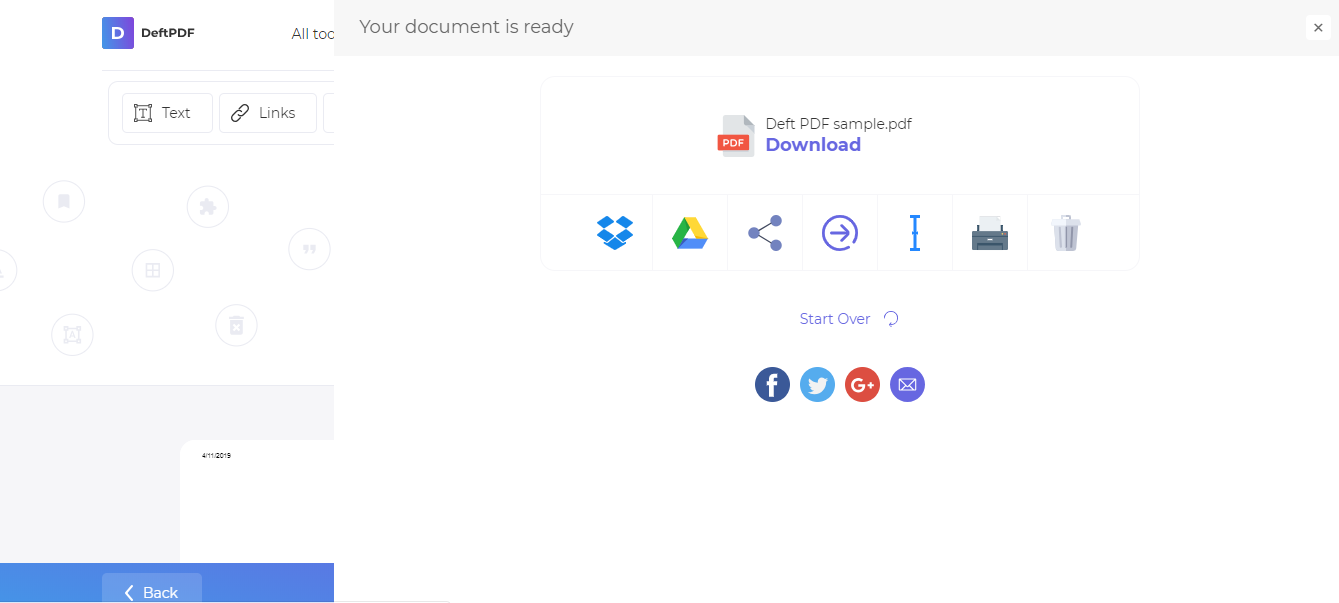
Download your file to save it on your computer. You may also save it in your online accounts such as Dropbox or Google Drive, share it via email, print the new document, rename or even continue editing with a new task.
deftpdf_download

Compress PDF

Reduce the size of your PDF files

Low Normal High
COMPRESSION OPTIONS
  • Dropbox
  • Google Drive
Drop your file here
close

Upgrade to Premium

The task is limited to 1 file and maximum file size of 50 MB.

Please upgrade to the Premium plan to be able to process up to 10 files per task and up to 4 GB of file size.

Check membership plans
DeftPDF
  • Contact Us

  • Pricing
  • Feedback
  • Suggest a feature
  • Report a bug
  • Resources

  • Blog
  • PDF how-to guides
  • Knowledge base
  • Comparison
  • Google Workspace App
  • Popular

  • Translate
  • Edit
  • Crop
  • Split in half
  • Chat with PDF
  • Edit & Sign

  • Edit
  • Sign
  • Crop
  • Grayscale
  • Convert from PDF

  • PDF to JPG
  • PDF to Word
  • PDF to Excel
  • PDF to PPT
  • PDF to EPUB
  • PDF to Text
  • PDF to Markdown
  • PDF to PDF/A
  • Deskew PDF
  • Organize

  • Merge
  • Split
  • Bates Numbering
  • Delete Pages
  • Convert to PDF

  • JPG to PDF
  • PPT to PDF
  • Word to PDF
  • HTML to PDF
  • Illustrator (AI) to PDF
  • OCR to PDF
  • EPUB to PDF
  • STEP to PDF
  • Other

  • Translate
  • Unlock
  • Watermark
  • Compress
  • Template Library

  • PDF Templates
  • Top 100 templates
  • Templates by Industry
  • Templates by Type
  • Popular Templates

  • Company Share Repurchase Agreement
  • W9 Form
  • Form W-8BEN
  • Form 7200

Made in USA ©DeftPDF, building PDF tools since 2013.

  • EULA Agreement
  • Privacy Policy
  • Terms of use
  • support@deftpdf.com
  • Open Source Notices

Modal title

Modal Content
×
logo

Sign in to your account

You don't have an account with us yet.
You do not have an account?   Forgot password?
Sign in with Google

By logging in with Google you agree to the terms and privacy policy

×
logo

Create account

Unknown error
Already member? Log in?  
Sign-up with Google

By logging in with Google you agree to the terms and privacy policy

FILE file icon

%file_name%

DOWNLOAD FILE
Start Over

Continue in other tools:

Crop PDF Delete Pages Edit PDF

Does this site help you save time or money? Say thanks by sharing the website :)

Rate this tool

1